
Samsung SmartThings makes your routines easier
Discover how to simplify daily tasks and free up more time by connecting your Samsung devices and other smart home appliances.


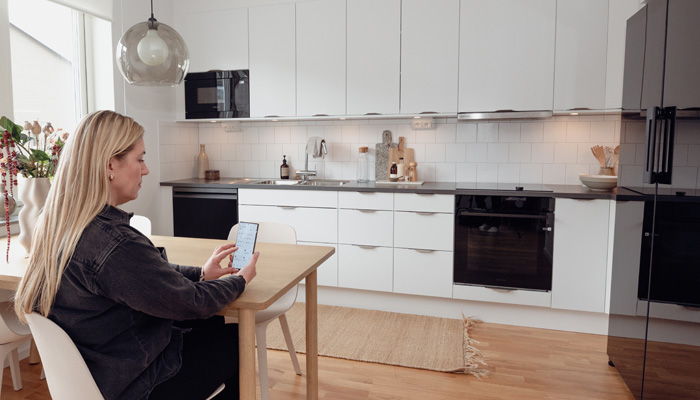
Connecting your home is easier than it seems. With the free solution SmartThings de Samsung, it is possible to create an interconnected ecosystem that simplifies daily tasks, providing a more practical life and free time.
The first step is to connect the Samsung smart devices you have at home to SmartThings, such as the television, washing machine, refrigerator, robot vacuum cleaner, air conditioner and many others. This way you can remotely activate and control the devices directly from your smartphone. To get your connected home up and running, follow the steps below:
- Descargar SmartThings desde Galaxy Store, Play Store o App Store;
- Open the SmartThings app and press Home;
- Sign in to your Samsung account;
- Make sure all devices in the house are on the same Wi-Fi network;
- Then register the device.
- Turn on the device you want to connect and press the Add (+) button in the app.
Complete your smart home
Having a connected home goes beyond everything, that is why the ecosystem that Samsung offers with its smart devices. With SmartThings, users will be able to have more security and autonomy in everyday tasks, thanks to Samsung's partnership with several major global brands, such as Philips Hue, TP-Link, Matter, Arlo and Nest.
SmartThings also connects to Samsung's Bixby, Alexa, and Google Home virtual assistants, making it easy to integrate with other devices. In this way, with Samsung's solution, users will be able to implement a whole new connected ecosystem within their home, taking full control of their home directly from their smartphone, regardless of their location.
These are some smart appliances that could be an interesting complement to having a connected home.
Smart Lamps
With SmartThings, users can control their smart lamp from anywhere. In addition to turning it on and off, you will have full control over the brightness and color temperature, which you can adjust from 1% to 100% as desired through the SmartThings app. You can even program routines to adjust the brightness throughout the day and create a more welcoming atmosphere at night.
smart plugs
With a smart plug, you can turn devices on and off remotely using the SmartThings tool, without having to physically interact with the switch. This allows programming, for example, scheduled recharges for devices such as tablets, avoiding overloads and prolonging battery life.
surveillance cameras
Surveillance cameras go beyond security against intruders and offer artificial intelligence resources to analyze environments and situations. They are ideal for those who have pets or children at home, as they allow them to be monitored remotely and preventive measures taken when necessary.




Latest news



Outstanding sector