
More than just a gesture: Galaxy Watch and an innovative accessibility feature
Samsung highlights Universal Gestures, an innovative accessibility feature for Galaxy Watch. With four different gestures – make a fist, make a fist twice, pinch and pinch twice – users can navigate their Galaxy Watch in a way that suits them best.


Technology for building a more inclusive world
Samsung has always been committed to providing a consistent experience for all Samsung Galaxy users. In line with this effort, Samsung highlights Universal Gestures, an innovative accessibility feature for Galaxy Watch. Designed to give people a touchless experience through simple and intuitive movements, Universal Gestures was introduced as part of the One UI 5 Watch update.
Universal Gestures offers users a valuable alternative to the interactions required to operate the device, all without lifting a finger or pressing a button. With four different gestures – make a fist, make a fist twice, pinch and pinch twice – users can navigate their Galaxy Watch in a way that suits them best.
How to activate Universal Gestures
To activate Universal Gestures on Galaxy Watch, follow these simple steps:
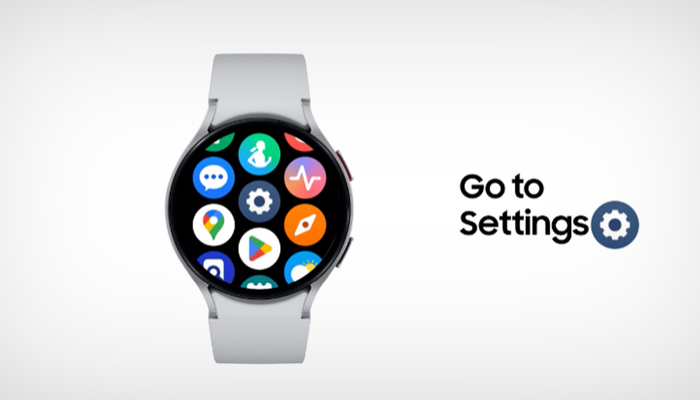
First, head to Settings on your Galaxy Watch to find the Accessibility menu. Scroll down until you find the “Universal Gestures” option within the Interaction and Dexterity section. Then, activate Universal Gestures and learn more about the full potential of this feature with the Gestures Tutorial. Once the Universal Gestures feature is enabled, your Galaxy Watch will indicate this with a customizable colored outline, allowing you to use this intuitive mode for a personalized and accessible experience.
Show your fist to open the Action menu and Select
Within Universal Gestures, the Make Fist gesture simplifies the process of selecting and opening items on Galaxy Watch. The Make Fist gesture twice will reveal the Action menu, which is a variety of convenient options that you can access right from your wrist. Imagine this menu as a box full of essential tools, such as opening the applications menu, going to the previous screen, and displaying recent applications, available whenever you need them. The Action menu is also dynamic and adjusts its content based on the screen currently open when the user activates the Action menu. When you are ready to select the item, simply make the fist gesture.
Pinch to navigate back and forth
The Galaxy Watch pinch and double-pinch gestures offer new contactless ways for users to interact with their Galaxy Watch, which is especially beneficial for people who have mobility limitations. With these two gestures you can navigate from one element to another or return to the previous element. Scroll through your messages, browse items on your calendar, or browse your photo album – it's all possible with the Pinch gesture. Accessibility is about removing barriers and offering seamless experiences to everyone. That's why Universal Gestures gives users intuitive control over their Galaxy Watch. For example, Samsung Galaxy users can easily change any of the actions of these four gestures, further personalizing their device to best suit their needs.
Another notable Galaxy Watch control feature
Los Gestures of Galaxy Watch, located within Advanced Features, are another notable feature that offers a convenient shortcut for actions such as answering calls, dismissing alerts or quickly launching applications, all of which can be achieved through simple hand and arm movements.



Latest news

Mother's Day: the perfect gift among the diversity of small appliances and the latest launches in personal care.

Outstanding sector